Express Entry Guide · Updated October 2026
Digital Photo for Express Entry: Size, Pixels, Background and PR Card Photo Rules (Real Cases)
Two sets of numbers, one studio visit, and a photo row that may or may not appear in your checklist. Here is what IRCC publishes and what applicants ran into.
The digital photo for Express Entry looks like the easiest item on the list after an Invitation to Apply. Then the studio hands you a file. Is 50 by 70 the right shape? Why does a friend’s guide say 420 by 540 pixels? Does someone have to write on the back of a file that has no back?
IRCC publishes detailed photo specifications for permanent residence: pixels, file size, background, expression, glasses and head coverings. What it does not explain in one place is how they fit the Express Entry upload, and that gap causes most of the confusion.
We read six IRCC pages and public forum threads from 2015 to 2022 about size errors, old photos, missing studio details and fear of rejection. Where we could not confirm something, we say so.
Quick answer: what are the rules for a digital photo for Express Entry?
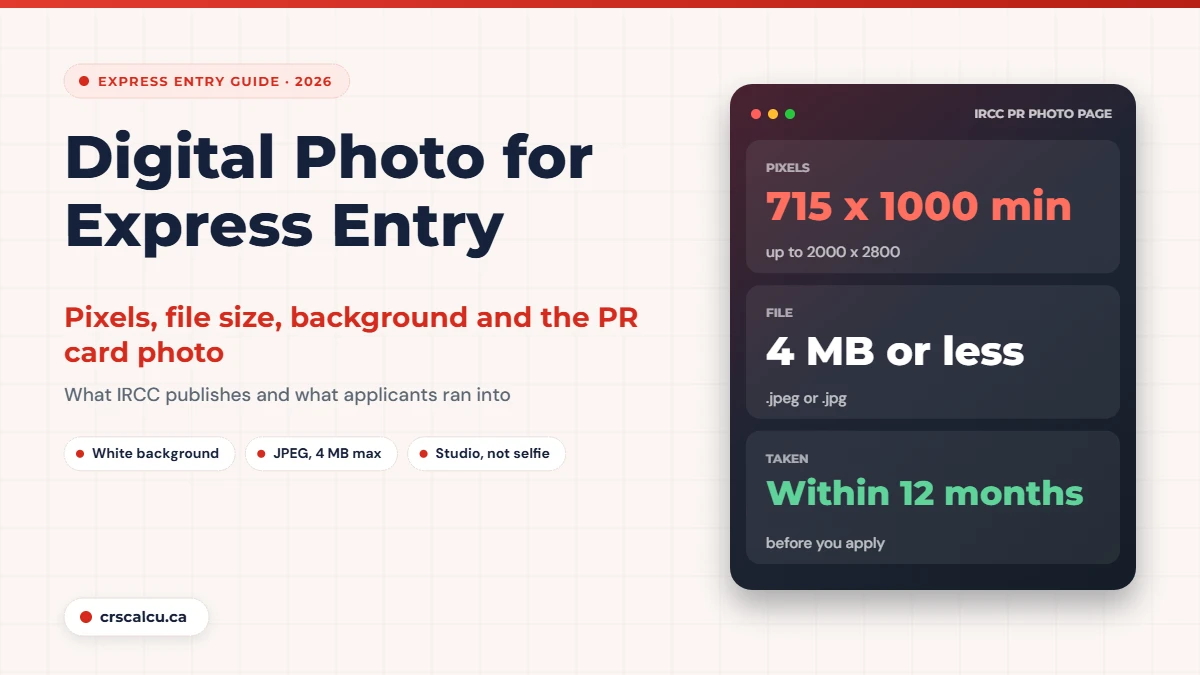
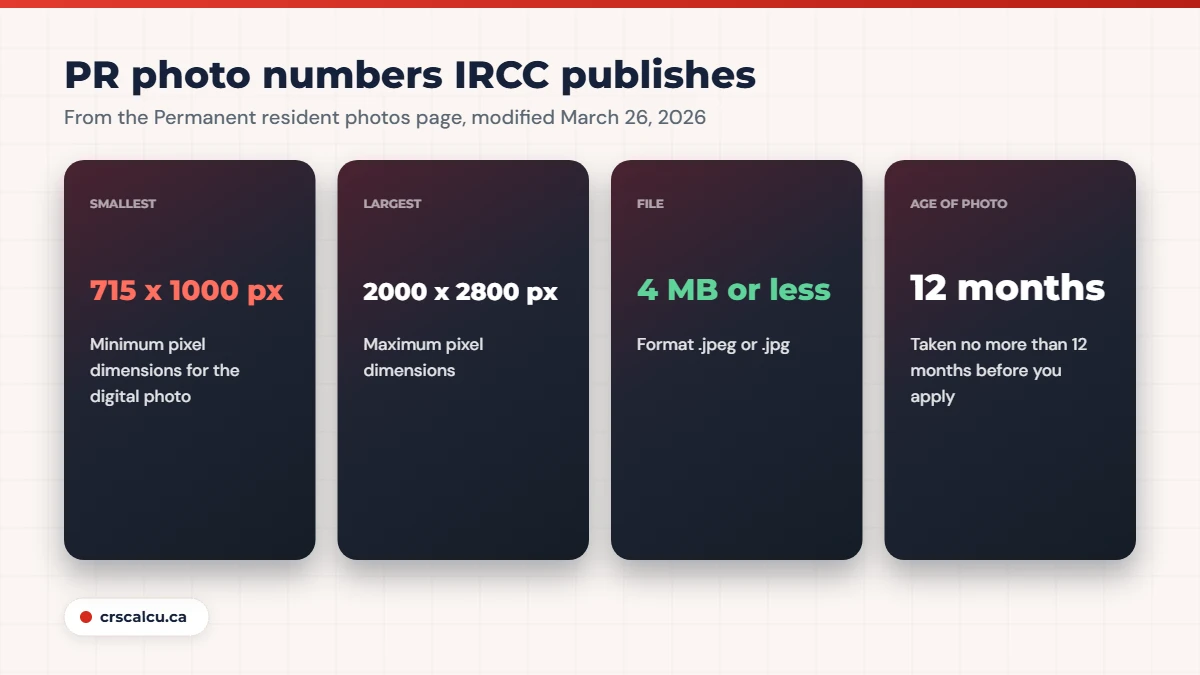
IRCC’s “Permanent resident photos” page (modified March 26, 2026) asks for one digital photo from a commercial photographer: between 715 x 1000 and 2000 x 2800 pixels, 4 MB or less, .jpeg or .jpg, plain white background, taken no more than 12 months before you apply. The Express Entry page says you upload digital photos only if they appear in your personalized checklist, so read the instructions beside your photo row first. Everything else is in our Express Entry document checklist.
Key takeaways
What IRCC publishes about the photo, and what it leaves out
Start with the Express Entry page itself. “Apply for permanent residence through Express Entry” (modified June 22, 2026) says the system gives you a personalized document checklist once you complete the online form. It then lists a few items you only submit if they were included in that checklist. One of them is “digital photos to confirm your identity”.
That is all it says. No pixel sizes, no background colour, no word on who needs one. So if a photo row appears in your checklist, fill it and follow the instructions beside it. Check the list for every person on the application, spouse and children included. IRCC’s public page does not say which family members get a photo row.
The detail lives on a separate page, “Permanent resident photos” (modified March 26, 2026), written for people applying for permanent residence or a permanent resident card. The Express Entry page also says an invitation is valid for 60 days only, so book the studio early. If the deadline is the real problem, read what happens when you decline an ITA.
Photo specifications: the numbers on the official page
Here are the photo specifications as IRCC prints them.
Item | What IRCC says | Worth knowing |
|---|---|---|
Number of photos | 1 digital photo | Paper applications need 2 identical prints |
Pixel dimensions | Between 715 x 1000 and 2000 x 2800 pixels | Outside the range can mean a returned photo |
File size | 4 MB or less | Larger files can be returned |
File format | .jpeg or .jpg | The upload help also mentions PNG |
Background | Plain, untextured and white | Clear contrast with your face |
How recent | No more than 12 months before you apply | Must show how you look now |
Who takes it | A commercial photographer or studio | No signature or guarantor needed |
Editing | Original, not altered in any way | Not taken from an existing photo |
Our summary of IRCC’s “Permanent resident photos” page, modified March 26, 2026, read on October 5, 2026.
One detail to flag: the specification list gives the format as .jpeg or .jpg, while the upload instructions further down the same page mention JPEG or PNG. A JPEG satisfies both lines, so ask for a JPEG.
On editing, IRCC is strict. The page counts colour, brightness and contrast corrections, removing red-eye or glare and changing the background as altering. So no filters and no touch-ups.
Two sets of numbers, and why applicants get confused
Search public forums and you will meet a smaller set of numbers, built around a 35 mm by 45 mm frame and 420 by 540 pixels. Applicants from 2015 through 2021 describe these as the rules they were given for the Express Entry photo upload.
We found them on canada.ca, on an IRCC page for International Experience Canada work permit applications (modified May 28, 2026). It asks for a final frame of at least 35 mm x 45 mm, at least 420 x 540 pixels, JPEG or JPEG2000, and a file that should ideally be 240 kB but not less than 60 kB. That is a different program. We could not find a public IRCC page that prints these numbers for Express Entry, and we cannot see what your account shows today.
So the instructions beside your own photo row decide. If they show the smaller set, give the studio that. If they point to the permanent resident photo page, use the table above.
Real case: the studio delivered 50 by 70, the guide said 35 by 45 (September 2018)
An applicant had a professionally taken digital photo in the 50 mm by 70 mm shape, then read elsewhere that the frame should be 35 mm by 45 mm at 420 by 540 pixels. Replies said to go by the official specification and that only the front is uploaded digitally, the studio stamp being a paper photo matter. One person had uploaded the photo as a PDF without apparent problems. No final outcome was reported in the thread.
A July 2020 thread shows the same pattern: a poster had found a pixel size and file size slightly under what other members gave as the minimum. Open the file’s properties and read the real numbers yourself.
As for that PDF: the Help Centre answer on file formats (modified September 1, 2026) says the IRCC secure account accepts .jpg, .png, .doc, .tiff and .pdf files. That explains how it uploaded, not that it met the photo instructions.
Face, glasses, head coverings and children
What the photo must show, in IRCC’s terms
Children follow the same photo specifications: head and shoulders only, with no parent’s or child’s hands in the frame. A newborn may be photographed in a car seat with a white blanket behind the head.
Headwear or a nasal cannula is allowed when required for medical reasons, as long as your eyes stay clearly visible. IRCC recommends a signed explanation, and a short letter of explanation is the natural place for it.
Selfie or studio?
The permanent resident photo page answers in one line: go to a commercial photographer or studio. The page on confirming permanent residence through the portal (modified April 9, 2026) asks for a photo taken by a professional photographer. IRCC also does not accept a photo of a paper photo taken with your camera or phone. If all you have is a print, scan it.
In a December 2015 thread, someone asked whether a personal device would do for the digital photo for Express Entry. The replies leaned toward a studio. At the counter, read out the numbers, ask for the file and a receipt showing the studio name, complete address and date, and let nobody “clean up” the image.
Seven checks before you upload your digital photo
Our seven checks, in order
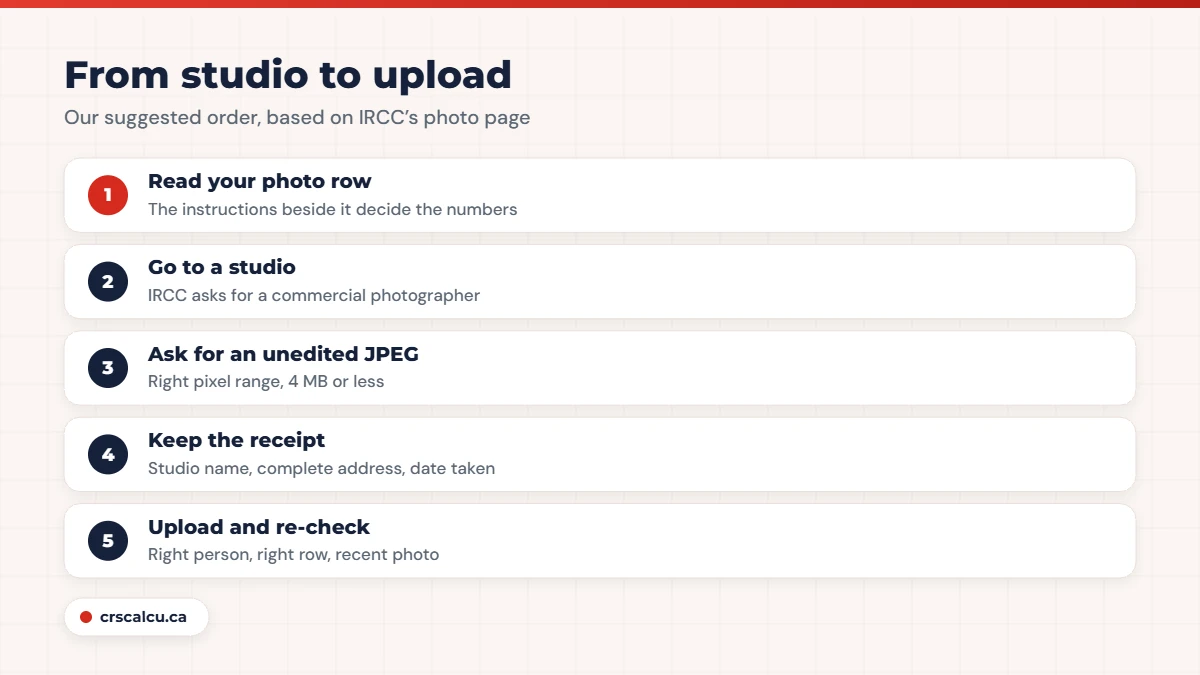
In a family application, put each face in the right person’s row. If the name on the studio receipt is spelled differently from the passport, see our note on a name mismatch.
Will a bad digital photo for Express Entry get the application rejected?
The official pages say less than you might hope. The Express Entry page says that if your application is not complete, IRCC will tell you and refund the processing fee. It does not say whether a photo that misses the specification counts as incomplete.
The permanent resident photo page lists reasons IRCC may return a photo: too dark, background not white, facial features not visible, too much glare, pixels outside the range, or a file above 4 MB. If a photo is returned, you can submit a new one. That wording is written around the portal and the card, so we would not read it as a promise about the Express Entry upload.
Real case: worried the studio got the size wrong (April 2017)
A Canadian Experience Class applicant had already submitted, then doubted whether the studio’s digital photo met the size rules and feared a rejection. One reply quoted older official guidance saying photos alone would not make an application incomplete, and an experienced member said a new photo would be requested if needed. The poster reported no further problem. We could not find that guidance on a current IRCC page.
Real case: reusing a two-year-old photo (February 2021)
An applicant preparing a Canadian Experience Class application wanted to reuse a digital photo taken two years earlier, already accepted for a study permit extension and a post-graduation work permit. The instructions they saw mentioned a recent-photo rule only for another kind of application. Nobody answered. No final outcome was reported in the thread.
On that second case, the page is clear today: no more than 12 months before you apply. A two-year-old picture does not meet that, whatever an earlier permit accepted.
Photo problems in the threads we read
Our view: a photo is the cheapest document to redo. If yours is older than 12 months, edited, or taken at home, replace it before you submit. The slow documents are a different matter, and our guides to the police certificate and the medical exam cover those.
Paper photos and the back of the photo
Express Entry applications are filed online, so the paper rules matter mainly if you are ever asked for prints. For paper applications the permanent resident photo page asks for 2 identical photos, 50 mm wide by 70 mm high, with the head between 31 mm and 36 mm from chin to crown, professionally printed on photo paper.
The back of the photo carries your name and date of birth, the name and complete address of the photography studio, and the date the photo was taken. The photographer may stamp or handwrite it. Stick-on labels are not accepted, and no signature is needed.
A digital file has no back. For a digital copy, the page says to upload a document with your photo that includes the information normally listed on the back, along with the studio’s confirmation or receipt. On the PR card application it goes in a row labelled “Upload your photo (back)”.
Real case: the portal wanted the back as well (November 2022)
A user of the online permanent residence portal uploaded only the front of a photo and could not get past the step. The instructions asked for the back of one photo, with the date, name, date of birth and studio details. Members advised scanning front and back into one file. A later reply said a digital photo’s details can go in a separate document such as the studio receipt. Another person had uploaded only the front without trouble. No final outcome was reported in the thread.
Older threads, from 2016 to 2019, describe mailing printed photos with the passport after approval. We could not find a current IRCC page that asks Express Entry applicants to do that, so go by the letter you actually receive. Passport questions are covered in our passport guide.
What happens later: the PR card photo
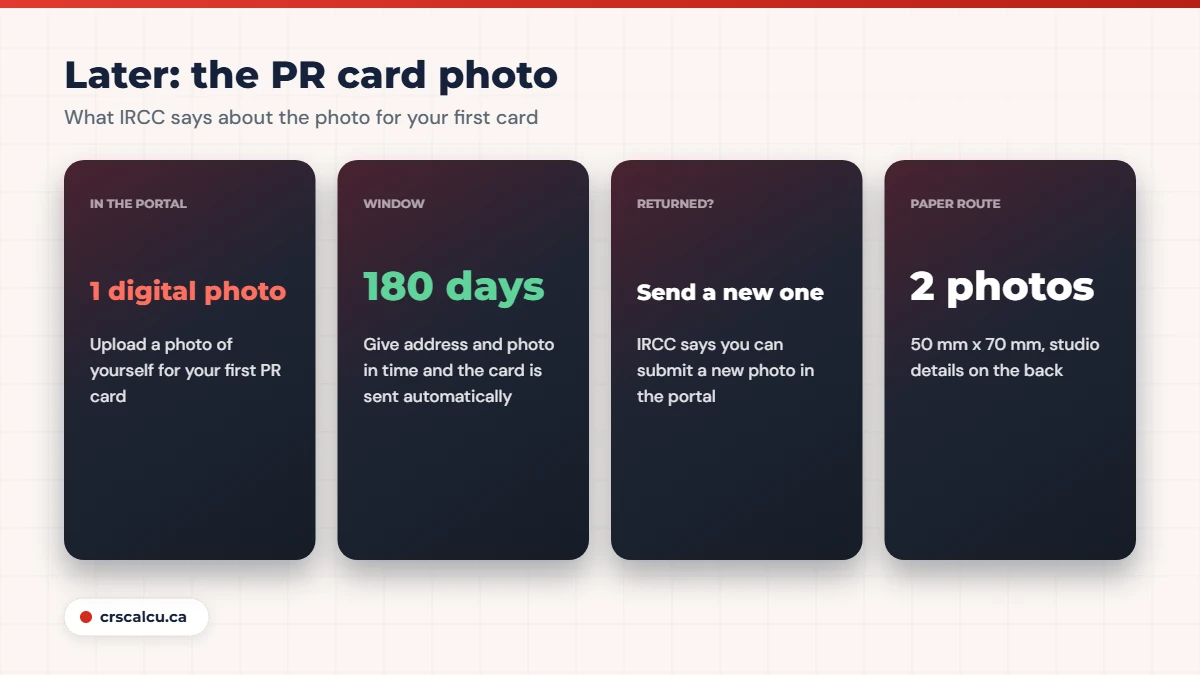
Your first permanent resident card has its own photo step. If you are approved while in Canada, IRCC’s portal page (modified April 9, 2026) says you must upload a digital photo of yourself for your first PR card. The numbers match the table above. A returned PR card photo can be replaced in the portal, and once it is approved the card is sent to your address in Canada.
“Get a permanent resident card” (modified August 4, 2026) adds the timing. Most people do not need to apply for their first card. IRCC sends it automatically if you give your Canadian mailing address and photo within 180 days of becoming a permanent resident. Miss that window and you have to apply.
Upload quirks IRCC describes for a PR card photo
Those points come from the “Permanent resident photos” page. For people who land from outside Canada, the pages we read did not spell out how the card photo is collected.
None of this moves your score by a single point. While the studio emails your file, you can still calculate your CRS score and compare it with the latest draw cut-offs.
Frequently Asked Questions
What size is the digital photo for Express Entry?
IRCC’s “Permanent resident photos” page (modified March 26, 2026) asks for between 715 x 1000 and 2000 x 2800 pixels, 4 MB or less, in .jpeg or .jpg. Forum applicants often quote a smaller set (at least 420 x 540 pixels), which we found only on an IRCC page for a different program. Follow the instructions beside your own photo row.
Can I take the photo myself with my phone?
The permanent resident photo page says to go to a commercial photographer or studio. IRCC also does not accept a phone or camera picture of a paper photo. Scanning a professional print is allowed.
How old can the photo be?
It must show how you look now and be taken no more than 12 months before you apply. A photo that an earlier permit accepted two years ago does not meet that.
Do I need the back of the photo for an online application?
For a digital copy, IRCC’s page says to upload a document with your photo that includes what would normally be on the back: your name and date of birth, the date taken, and the studio name and complete address, with the studio’s receipt.
Can I wear glasses or a head covering?
Yes, with limits. Your eyes must be clearly visible with no glare on the lenses. A head covering is allowed if worn daily for religious or medical reasons, as long as your face stays clearly visible.
Is the photo from my application used for my PR card?
The pages we read describe a separate step. IRCC’s portal page says you must upload a digital photo of yourself for your first PR card, within 180 days of becoming a permanent resident if you want it sent automatically. Neither page says the application photo is reused.
Photo done? Check the number that got you invited
A photo is paperwork, not points. Run your profile through the calculator and compare it with the most recent cut-offs.
Final Thoughts
A digital photo for Express Entry is a ten-minute job when you walk into the studio with the right numbers. Read the instructions beside your photo row, ask for an unedited JPEG on a white background, keep the receipt, and keep the file for the card photo step later.
If IRCC has returned a photo more than once, if a medical or religious reason makes the standard photo difficult, or if your application was sent back as incomplete, speak to a licensed consultant or lawyer before you resubmit.