Express Entry Guide · Updated October 2026
Ghost Update in Express Entry: What It Is, What It Might Mean and What It Does Not (Real Cases)
Your account says something changed. You log in and nothing has. Applicants have a name for this, and a decade of theories about it. IRCC has neither.
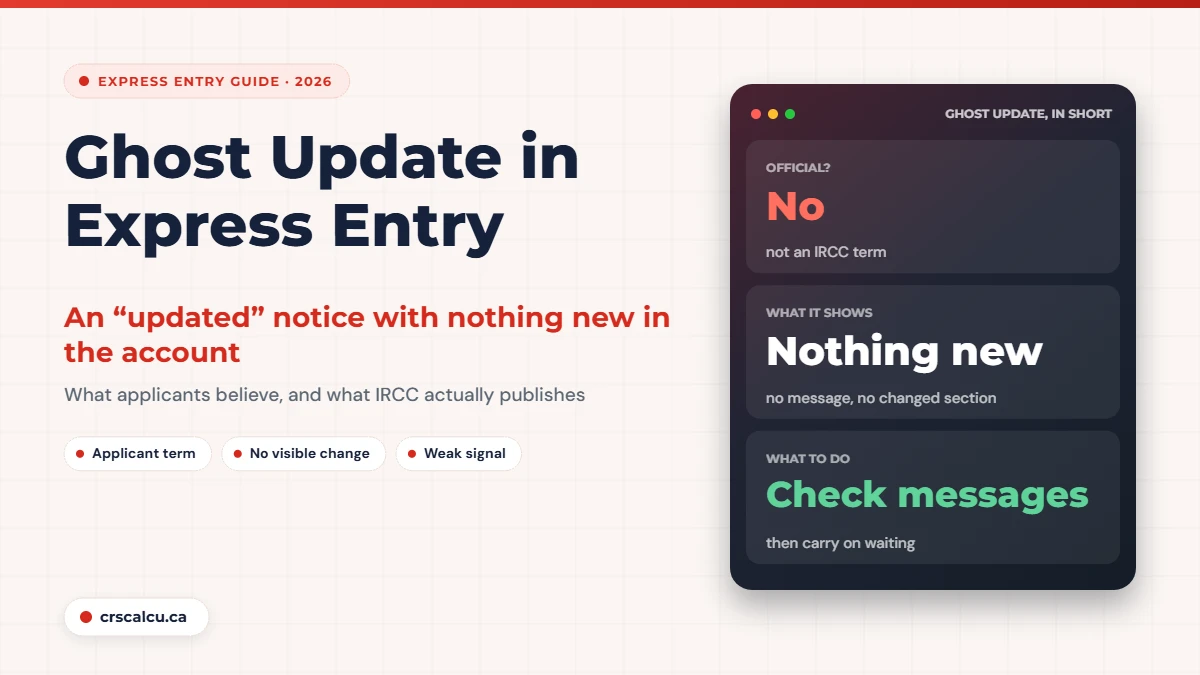
A ghost update is what applicants call it when their IRCC account, or an email from IRCC, says the application was updated and then shows nothing new. No message. No changed section. Sometimes the status line flips to “updated” and back to “submitted” on the next refresh.
If you have been waiting four months for a decision, that flicker feels enormous. Forums are full of people asking whether it means approval is days away. The answers are confident and they contradict each other, because every one of them is based on what happened to that person’s file.
We looked for the term on IRCC’s pages and did not find it. So this post does two things. It sets out what IRCC does publish about messages and statuses, and it goes through five public forum threads from 2015 to 2023 to show what followed a ghost update in real files, including the times nothing followed at all.
Quick answer: what is a ghost update and does it mean approval is near?
“Ghost update” is an applicant term, not an IRCC one. It describes an “application updated” notice with no visible change in the account. Applicants believe it means someone or something touched the file. In the threads we read it was sometimes followed by a decision within days or weeks, and sometimes by nothing for months. IRCC’s pages say only that it contacts you through your account when it needs something or has a decision. The reliable signals are covered in Express Entry application status.
Key takeaways
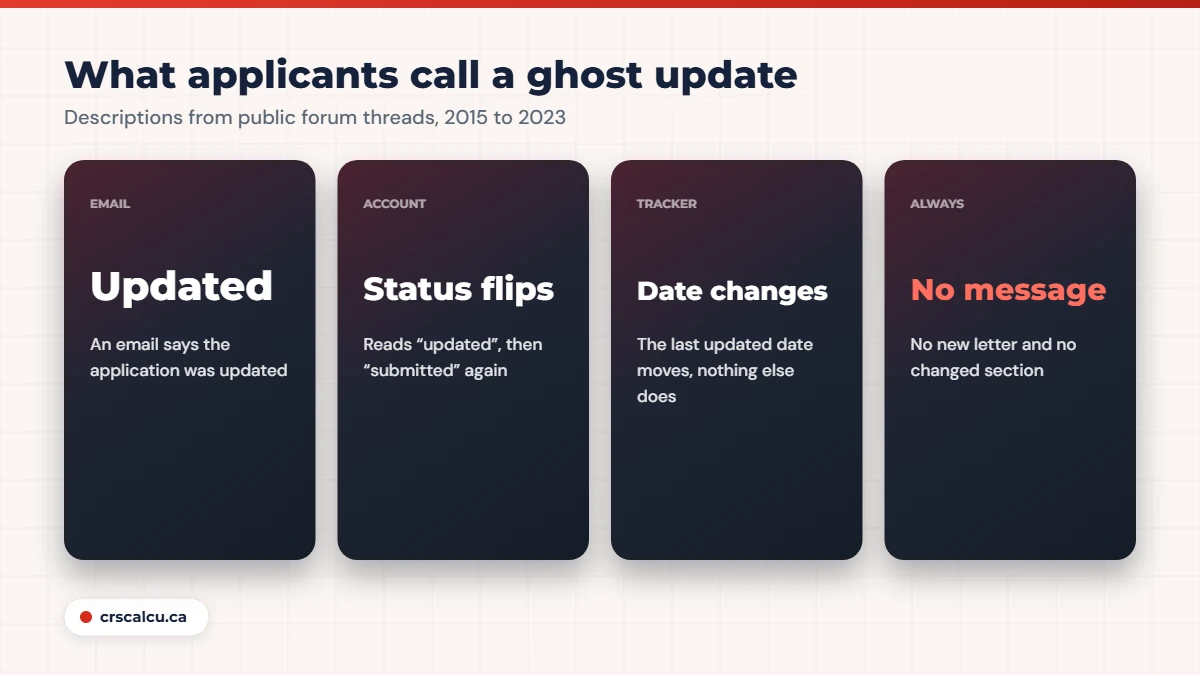
What applicants mean by a ghost update
The term has drifted over the years, so it helps to pin down the versions you will see described.
What the applicant sees | What is missing | Years reported |
|---|---|---|
An email saying the application or profile was updated | Any visible change after logging in | 2015, 2016 |
Account status reads “application/profile updated” | An email and a new message | 2018, 2020 |
Status flips to “updated”, then back to “submitted” | Any lasting change | 2015, 2020 |
A “last updated” date changes in the status tracker | A “new updates” flag or a changed section | 2023 (citizenship files) |
Our summary of applicant descriptions in the five forum threads discussed below. None of these labels come from IRCC.
What they have in common is a notice without content. Something registered an update, and the applicant cannot see what.
What IRCC actually publishes
Nothing about ghost updates. What IRCC does describe is the real thing they are an echo of.
Its Express Entry status page (modified August 4, 2026) says IRCC contacts you through your secure account to confirm it has reviewed your application, tell you to give biometrics, send updates on the status of your application, ask for more documents and set up an interview if needed. The Help Centre answer “How do I view the messages in my account?” explains where to look: under your submitted applications, choose “Check status and messages”. Each message has an arrow that opens a link to a PDF. General messages sit on the main page under “Account messages”.
And the Help Centre’s list of status meanings (modified September 1, 2026) defines the words in the status area: not started, in progress, waiting on you, completed, exempted. There is no status called “updated” in that list.
What counts as a real update
Anything short of that list is, at best, a hint.
What followed a ghost update in real cases
Here is the evidence applicants rely on, case by case. Read the outcomes closely. They are less consistent than the folklore suggests.
Real case: “application updated” email, nothing changed (September 2015)
An applicant received an email saying their application had been updated. In the account, the status briefly showed “updated” and went back to “submitted” after a refresh. No score change, no message. Replies called it a ghost email and said it tends to happen when an officer opens the file. One member said their passport request had arrived within three days of one. Another said a separate status tool moved to “decision made” shortly after theirs. The original poster, it turned out, had not yet been invited to apply at all.
Note that last detail. The notice appeared on a profile that was still in the pool, where there was no application for an officer to decide.
Real case: a ghost update, then a letter the next day (August 2018)
A provincial nominee’s file had been silent since the medical was done in mid-June. In late August the account showed “application/profile updated” with no email. About a day later a pre-arrival services letter arrived. In the same thread another applicant, inside Canada, reported a ghost update on August 20 and an approval notice by September 7. Members concluded that a ghost update often comes two to three weeks before a decision.
Real case: two notices in 24 hours, and a caution (May 2016)
A provincial nominee applying from outside Canada got an update email with no visible change, then another a day later. Their background check had shown “in progress” for a week. They hoped a passport request was close. An experienced member cautioned that ghost emails do not always mean that, and can reflect a file moving between offices or an internal status change. No outcome was reported by the poster.
Real case: updated, then back to submitted, then nothing (December 2020 to April 2021)
An applicant who had given biometrics in October saw “application/profile update” in the account, and “submitted” again on the next login. One reply said a ghost update means some change was made to the application but may or may not mean real news is coming. Another guessed at a delay between IRCC’s internal system and the client account. No resolution was posted. In April 2021 a later commenter said they had received ghost updates with no approval afterwards.
Four cases, three patterns: a decision within a day, a decision within three weeks, and silence. That is about what you would expect if the notice simply marks any activity on the record.

Why a ghost update is weak evidence
The strongest sign that these notices are not personal comes from a 2023 thread about citizenship files, which use a tracker with a visible “last updated” date.
Real case: dozens of ghost updates on the same day (October 2023)
In a thread explaining how to spot a ghost update in the citizenship tracker, members described the test: the date changes, no “new updates” flag appears, and no step moves. On October 27, 2023, many applicants handled by different offices reported the date changing on the same day. Some had by then seen several such changes months apart with no progress. This was about citizenship applications, not Express Entry, but it is the clearest example of updates arriving in bulk.
If many unrelated files update on one day, the cause is more likely a system job than a set of officers reaching the same step at once. That does not mean every ghost update is meaningless. It means you cannot tell a meaningful one from a meaningless one by looking at it.
There is also a survivor effect in the forum record. People who got a decision three days after a ghost update come back to say so. People whose ghost update led nowhere mostly do not post about it.
Treat it as a reminder, not a result
The useful response to a ghost update is two minutes of housekeeping. Open “Check status and messages” and confirm there is no new letter. Check that your contact details are right. Check your spam folder. Then close the tab. If a real message was coming, it will be there tomorrow.
A ghost update in the pool is not the same as one after you apply
Part of the confusion is that the same notice shows up at two very different stages. While your profile is in the pool, there is no officer working on it. The account can still show an “updated” notice there. The 2015 poster above was in exactly that position, and other applicants answered as if a decision were close.
After you have submitted a permanent residence application and received your acknowledgment, the file does have people and systems working on it, so an update notice is at least possible evidence of activity. Even then, activity covers a lot. Forum members have suggested a file moving between offices or an internal status change, and the same-day reports above point to automated system activity. None of those is a decision.
So before you read anything into a ghost update, ask which stage you are at. In the pool, it tells you nothing about an invitation; your score and the cut-off do. After the acknowledgment, it tells you the record changed in some way, which is slightly more than nothing and far less than approval. Our post on AOR in Express Entry explains where that line falls.
Five mistakes people make with a ghost update
Five mistakes from the threads
What to do while you wait
A ghost update changes nothing about what you should be doing, which is mostly keeping your file current.
Our suggested routine
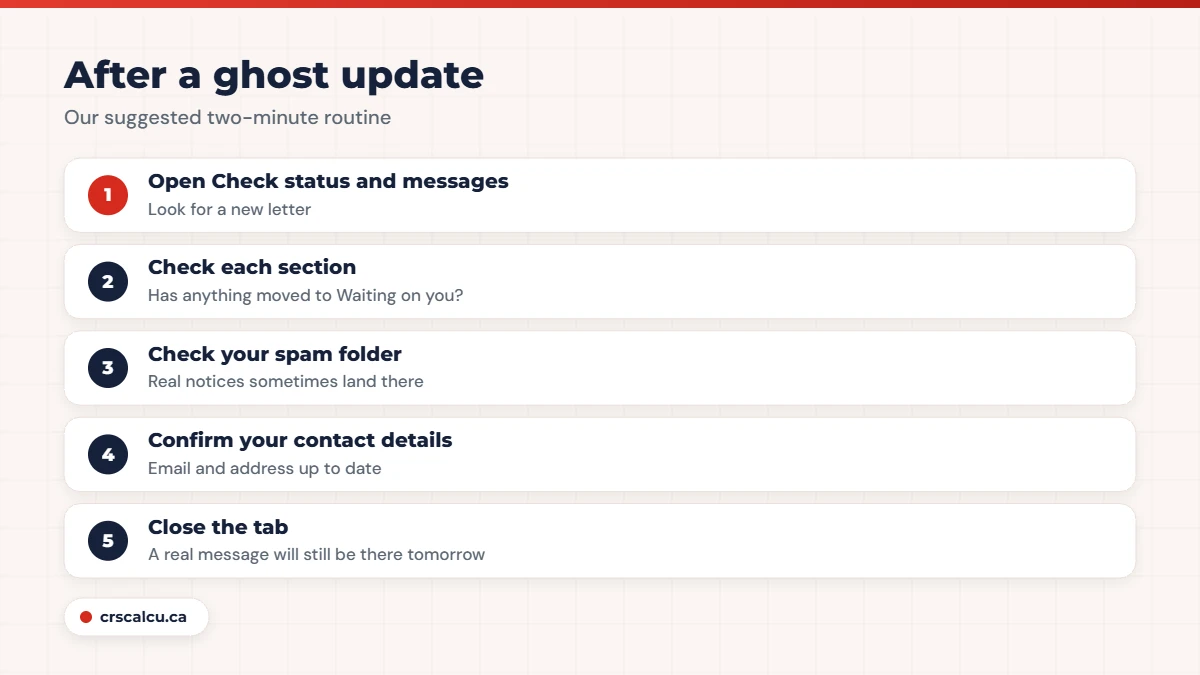
None of this touches your points. If you are still in the pool and saw an “updated” notice there, it is even less likely to mean anything: check your score with the CRS calculator and the latest draw cut-offs instead.
Frequently Asked Questions
What is a ghost update in Express Entry?
It is an applicant term for a notice that the application or profile was updated when nothing visible has changed in the account. IRCC does not use or define the term on any page we read.
Does a ghost update mean my passport request is coming?
Sometimes it was followed by one. In forum cases from 2015 and 2018, decisions arrived between one day and about three weeks later. In a 2020 thread, ghost updates were followed by no approval. It is not a reliable signal.
Do you get an email with a ghost update?
Reports differ. In 2015 and 2016 threads applicants received an email with no visible change. In 2018 members said a ghost update appears only in the online account, with no email.
Why did my status change to “updated” and then back to “submitted”?
Applicants have reported exactly this. Forum members guessed at a delay between IRCC’s internal system and the client account. IRCC’s published list of statuses does not include “updated”, so there is no official explanation.
How do I check whether I have a real update?
In your account, go to your submitted applications and choose “Check status and messages”. A real update is a new message with a PDF letter, a section changing to “Waiting on you” or “Completed”, or a request for documents, fees or your passport.
Should I contact IRCC after a ghost update?
No. There is no request to answer. Contact IRCC through the web form only if your situation has changed or you are past the current processing time.
Waiting is easier with a number you can check
A ghost update tells you little. Your score against recent cut-offs tells you a lot. Check both in two minutes.
Final Thoughts
A ghost update is real in the sense that applicants do see it, and unofficial in the sense that IRCC has never explained it. In some files it arrived shortly before good news. In others it arrived alone. On at least one day it arrived for many people at once. Use it as a prompt to check your messages and expiry dates, and leave it at that.
If a real message arrives that you do not understand, especially one that raises a concern or gives a deadline, that is the time to get advice from a licensed consultant or lawyer. A notice with no content is not.