Express Entry Guide · Updated October 2026
Permanent Residence Portal: The Two Emails, the Photo, the e-COPR and Common Hold-Ups (Real Cases)
No interview, no border, no officer across a desk. If you are approved while living in Canada, you become a permanent resident through a website. Here is how it goes.
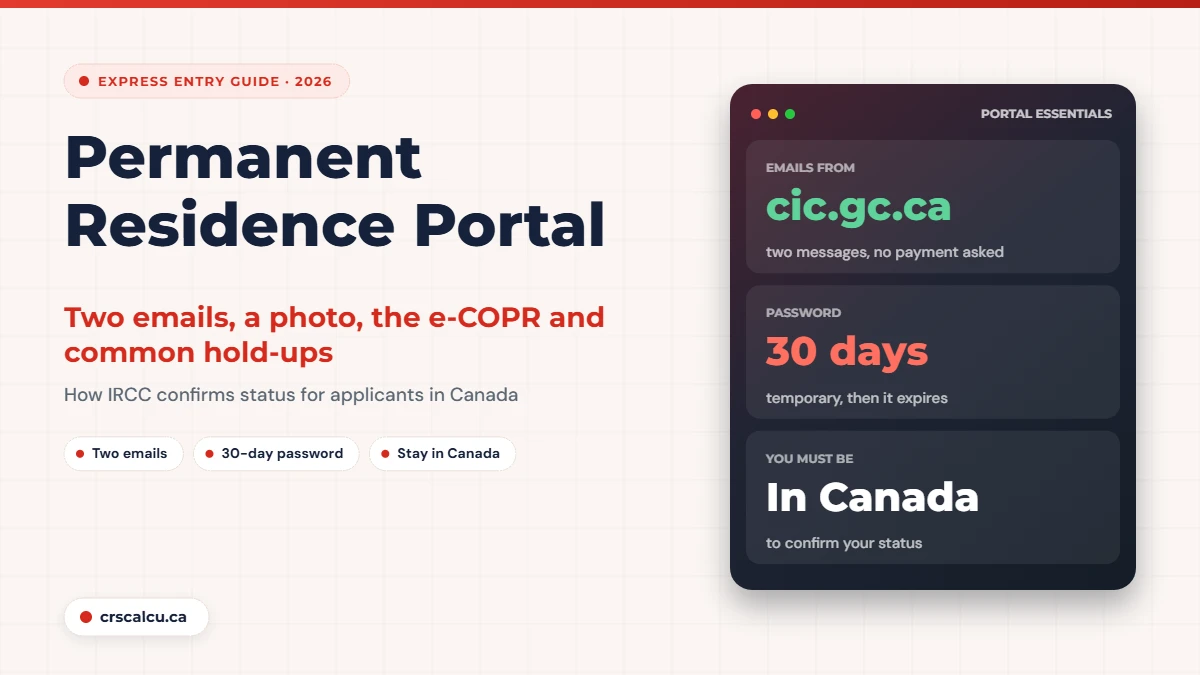
The permanent residence portal is where most Express Entry applicants inside Canada finish the process. Instead of travelling to a border or sitting in an office, you answer two emails, sign in to a portal, declare that you are in Canada, give an address, upload a photo, and wait for an electronic confirmation to appear.
It usually works smoothly and quickly. When it does not, the problems are oddly specific: a temporary password that expired, a family where the children were confirmed and the principal applicant was not, a congratulations email with nothing to download. Because the whole thing happens by email, it is also the stage where people worry most about scams.
We read IRCC’s page on confirming permanent residence from within Canada and its Express Entry approval page, along with five public forum threads from 2021 to 2024 in which applicants timed each step and described what went wrong.
Quick answer: how does the permanent residence portal work?
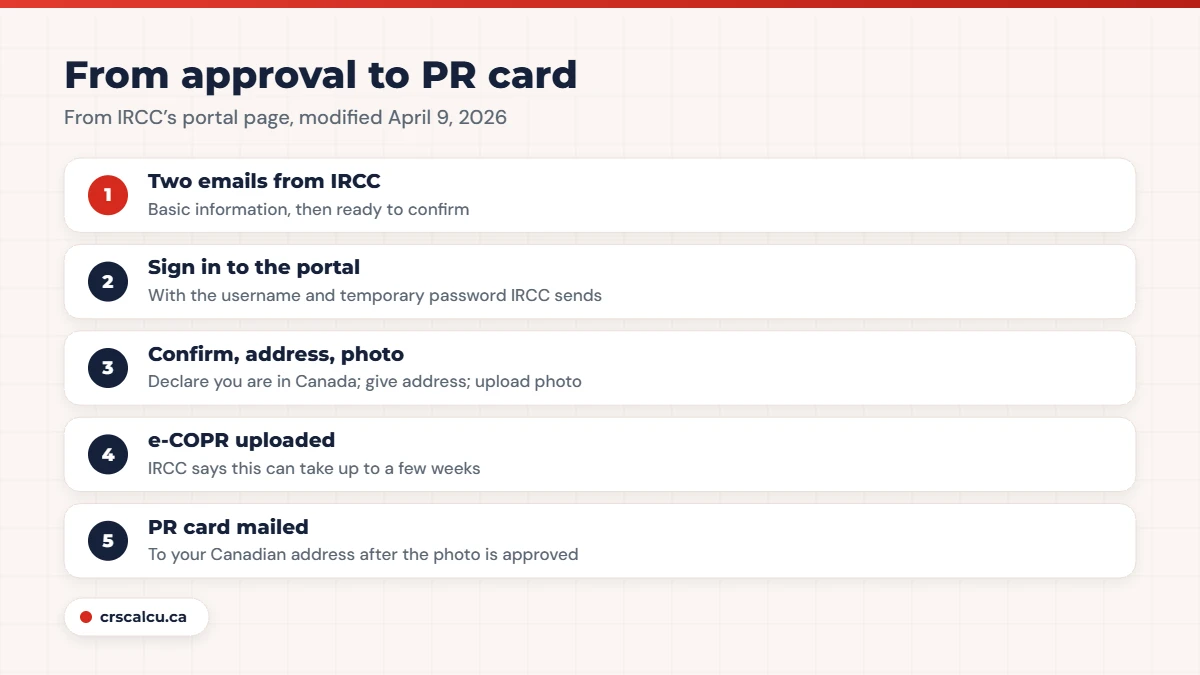
IRCC’s page (modified April 9, 2026) says that if your application is approved while you are in Canada, you get two emails: one asking for basic information, and one saying IRCC is ready to confirm your status. You then sign in to the Permanent Residence Portal, confirm you are in Canada, give a Canadian mailing address and upload a photo for your first PR card. IRCC uploads your e-COPR to the portal, which it says can take up to a few weeks. You must physically be in Canada to do this. The document itself is explained in Confirmation of Permanent Residence.
Key takeaways
What the permanent residence portal is for
IRCC’s Express Entry page for approved applicants in Canada (modified June 22, 2026) says it confirms permanent resident status through a secure online portal, without in-person interviews, and that you do not have to do anything until it contacts you by the email or phone number you provided. The detailed page, “Confirm your permanent residence from within Canada”, sets out the steps.
The portal has a second life that confuses people. Some programs use the same Permanent Residence Portal to submit applications in the first place. For Express Entry you applied through your IRCC secure account, so the portal is new to you, and IRCC sets up the account.
The two emails
IRCC’s page describes two messages. The first asks for basic information. The Express Entry page describes what that covers: confirming your email address and confirming that you are physically in Canada. The second tells you IRCC is ready to confirm your status and gives you information about the portal.
On whether the emails are real, the Express Entry page says they come from addresses ending in cic.gc.ca. That is the check. A genuine message asks you to confirm things and sign in to the portal. It does not ask for payment. IRCC also notes that if you received several identical emails, you should answer the most recent one.
Step | What IRCC says |
|---|---|
First email | Asks for basic information: confirm your email address and that you are in Canada |
Second email | IRCC is ready to confirm your status; information about the portal |
Account | Do not create a new one; IRCC emails a username and temporary password |
In the portal | Choose “Confirmation of permanent residence”, then confirm you are in Canada |
Address | Give the Canadian mailing address for your PR card |
Photo | Upload a digital photo for your first PR card |
e-COPR | Uploaded to your portal account; this can take up to a few weeks |
PR card | Mailed to your Canadian address once the photo is approved |
Our summary of “Confirm your permanent residence from within Canada” (modified April 9, 2026) and the Express Entry in-Canada approval page (modified June 22, 2026).
Signing in: the temporary password
IRCC’s page is firm on one point: do not create a new portal account to confirm your status. If you have used the portal before for an application, you use that account. Otherwise IRCC creates one and emails your username and a temporary password.
That password expires 30 days after the account is created. If it has expired, or never arrived, the page says to reply to the email address that sent your invitation, and that a reset can take up to 24 hours. So open the portal the week you get the credentials, not the month after.
What you do in the portal
The four things IRCC asks for
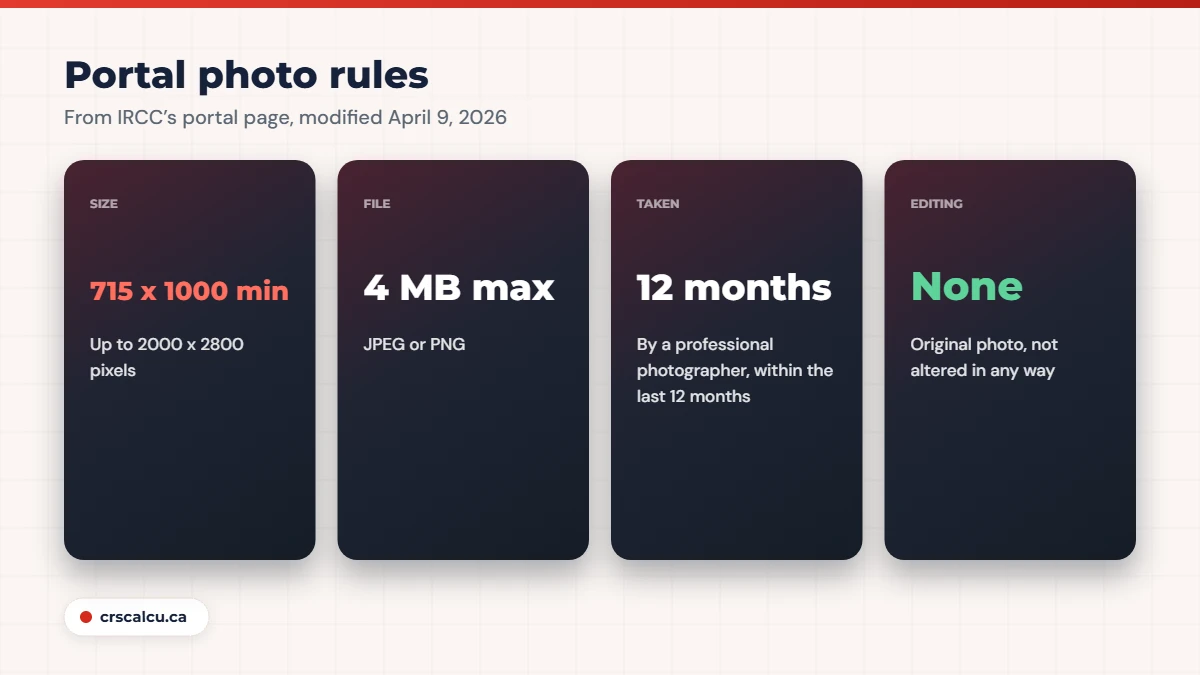
The photo is where most resubmissions happen, so here are the numbers on IRCC’s page: JPEG or PNG, between 715 x 1000 and 2000 x 2800 pixels, no larger than 4 MB, taken by a professional photographer within the last 12 months, on a plain white background, with a neutral expression, and not altered in any way. IRCC counts adjusting colour or brightness, cropping, retouching and changing the background as alterations. Our digital photo guide goes through each requirement.
A representative cannot do this part for you
IRCC’s page says immigration representatives can advise you and help you with the portal, but they cannot sign in using your username and password, and they cannot declare that you are in Canada on your behalf. If someone offers to “handle the portal” with your login, that is against the instructions.
You must be in Canada, and stay until it is done
Two official sentences matter here. The portal page says you must physically be in Canada to confirm your permanent resident status. The Express Entry page says you must tell IRCC if you leave Canada before it grants you permanent resident status.
If you travel after you are confirmed but before the card arrives, the portal page says you need a permanent resident travel document to return to Canada. A printed e-COPR is proof of status inside Canada. It is not a travel document for boarding a flight back.
How long it takes, according to applicants
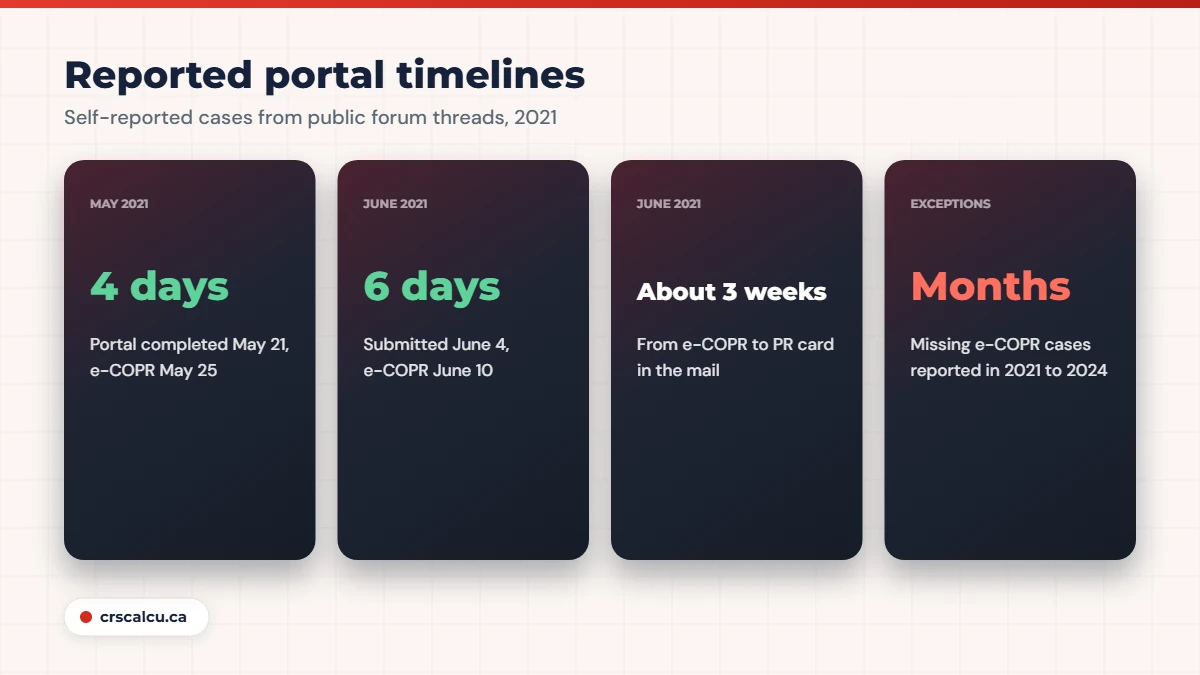
IRCC says the e-COPR can take up to a few weeks, and that processing times vary with the type of application, volumes, how easily information can be verified and how quickly you respond. Applicants have recorded their own dates.
Real case: six days to the e-COPR, a month to the card (June to July 2021)
An applicant submitted their photo and address on June 4, 2021, saw “in review”, and asked how long approval takes. Their e-COPR arrived on June 10. Others in the thread reported six and eight days. Two members gave full timelines: portal credentials on June 15, e-COPR four or five days later, and the PR card in the mail on July 5 and July 8. One had been told by a lawyer to expect the card to take four to five months, which did not happen in these cases.
Real case: four days from email to e-COPR (May 2021)
In a thread collecting portal timelines, one applicant listed the first email on May 20, credentials on May 21, the portal completed the same day, and the e-COPR with address and photo approved on May 25. Others in the same week were still waiting for credentials or had heard nothing a week after submitting.
Both threads date from the portal’s first months. They show that the process can take days, and that even then people a week apart had different experiences.
When the portal goes wrong
Real case: the children were confirmed, the principal applicant was not (September 2021)
A Canadian Experience Class family found that the dependants had received their e-COPRs on August 31 while the principal applicant had not, even though the main account showed every stage approved. Later posters had the same problem. One described the fix that worked for them: a detailed email to the portal’s contact address listing the client number, application number and the family’s confirmation numbers, after which the e-COPR arrived the next afternoon. Others in the thread, up to early 2023, reported waiting weeks or months.
Real case: “Congratulations”, and nothing to download (February 2024)
An applicant received an email congratulating them on becoming a permanent resident and saying the e-COPR was available. The portal showed no download. Several others had the same experience. One said it took repeated emails, calls and help from a Member of Parliament’s office over more than two months before the document appeared. Another had received a PR card and still had no e-COPR over a year later. The original poster’s case was unresolved when the thread went quiet.
Real case: e-COPR received, photo and address still “in review” (May 2023)
An applicant had their e-COPR but the portal still showed the photo and address as in review, and they wondered how that was possible. Members explained that the confirmation is issued once you declare you are in Canada, and the photo and address are reviewed afterwards for the card. Several said the portal status never caught up: one received the physical card while the portal still said “in review”. One had a photo rejected at this stage and had to upload another.
The third case is the reassuring one. The portal’s status labels lag. If you have the e-COPR, you are a permanent resident, and the remaining review is about the card.
Six mistakes that cause delays in the portal
Six mistakes from the rules and the threads
After the e-COPR
Download it, print it, sign it and keep copies. IRCC says a printed and signed e-COPR can be used to prove you are a permanent resident in Canada while you wait for your card, and that you do not need to apply for your first PR card. Check every detail against your passport; errors are corrected through the amendment process described in our post on a name mismatch in Express Entry.
Once the e-COPR is in your account
If the portal email has not come and your application status shows a decision, give it a little time and then reply to the address that contacted you. And if you are still in the pool, all of this is ahead of you: check your score with the CRS calculator against the latest draw cut-offs.
Frequently Asked Questions
What is the permanent residence portal?
It is the secure online portal IRCC uses to confirm permanent resident status for people approved while in Canada, without an in-person interview. You confirm you are in Canada, give an address and upload a photo, and IRCC uploads your e-COPR there.
How do I know the portal email is real?
IRCC’s Express Entry page says the emails come from addresses ending in cic.gc.ca. They ask you to confirm your email address and that you are in Canada, and then give you portal information. IRCC creates the account and sends a temporary password.
How long does the e-COPR take after I submit in the portal?
IRCC says it can take up to a few weeks. Applicants on public forums in 2021 reported four to eight days, and others have reported much longer waits.
Can I leave Canada after completing the portal?
You must be physically in Canada to confirm your status, and IRCC says you must tell it if you leave before status is granted. If you travel before your PR card arrives, you need a permanent resident travel document to return.
My temporary password expired. What do I do?
IRCC says the password expires 30 days after the account is created. Reply to the email address that sent your invitation to ask for a reset, which can take up to 24 hours.
Can my consultant complete the portal for me?
No. IRCC says representatives can advise and help, but cannot sign in with your username and password or declare that you are in Canada for you.
The portal is the finish line. Where are you on the track?
If you are still waiting for an invitation, your score decides how soon you get here. Check it against recent cut-offs.
Final Thoughts
The permanent residence portal is a short process with a few sharp edges. Answer the two emails, use the account IRCC creates, sign in before the temporary password expires, upload an unedited professional photo, and stay in Canada until the e-COPR is in your hands. Most people are done within days.
If family members are confirmed and you are not, if the e-COPR does not appear weeks after a congratulations email, or if you have to leave Canada before it arrives, speak to a licensed consultant or lawyer and write to the address that sent your invitation. Those are the cases where polite persistence, with all your file numbers in one message, made the difference.