Express Entry Guide · Updated October 2026
How to Update Express Entry Profile After Submitting: Steps, Timing and Traps (Real Cases)
A better test score, a new job, a wedding. Your profile has to keep up with your life, and there is a right and a wrong moment to change it.
Most people need to update Express Entry profile details at least once while they wait: a language retake comes back higher, a work anniversary passes, a degree is finished, a relationship changes. IRCC does not treat this as optional. Its create-profile page says you must update your profile if your situation changes.
The mechanics are simple once you know where the button is. The traps are in the timing. After an invitation the profile can no longer be edited, an update you saved but did not submit does nothing, and one careless edit to your work history can make the whole profile ineligible.
We read IRCC’s create-profile page and three Help Centre answers (modified in 2026), plus five public forum threads from 2017 to 2021. This is general information, not legal advice.
Quick answer: can you update your profile after submitting it?
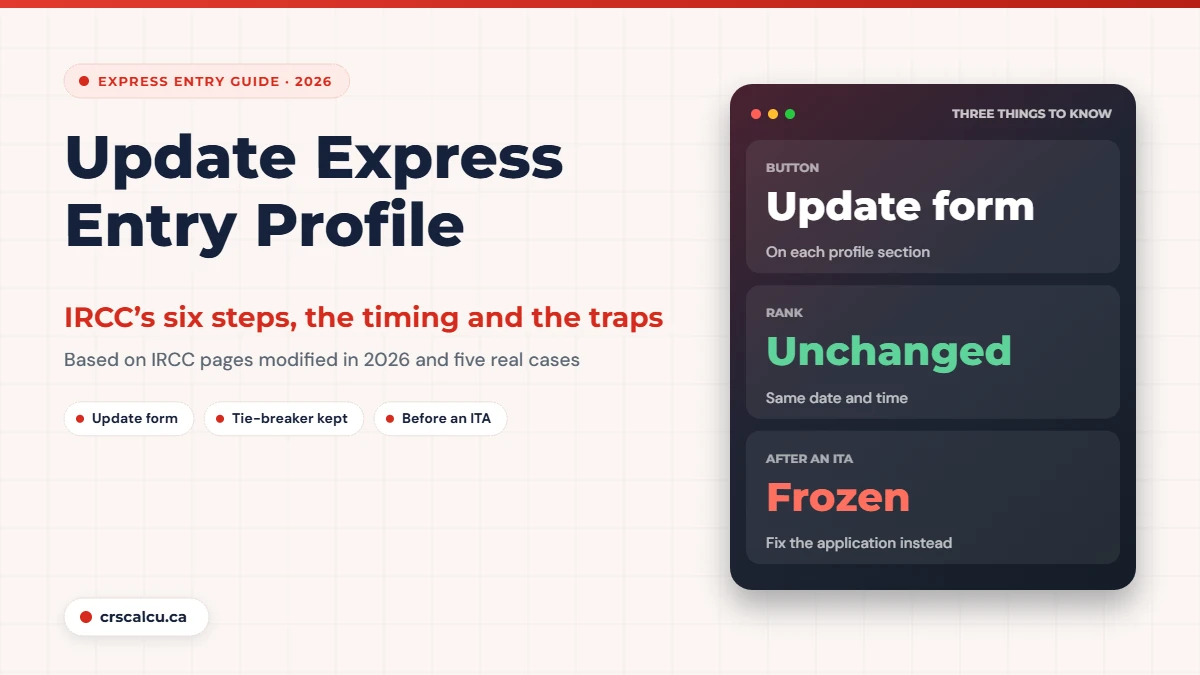
Yes, as long as the profile is eligible and you have not been invited yet. IRCC’s Help Centre (modified September 1, 2026) says to open the profile from “View the applications you submitted” and use the Update form button on each section, then submit the updated profile. Updating does not change the date and time IRCC received the profile, so you keep your place in a tie-breaker. If the button says “View form”, the profile was found ineligible and you need a new one. Check the effect of any change in our CRS calculator first.
Key takeaways
When IRCC expects you to update Express Entry profile details
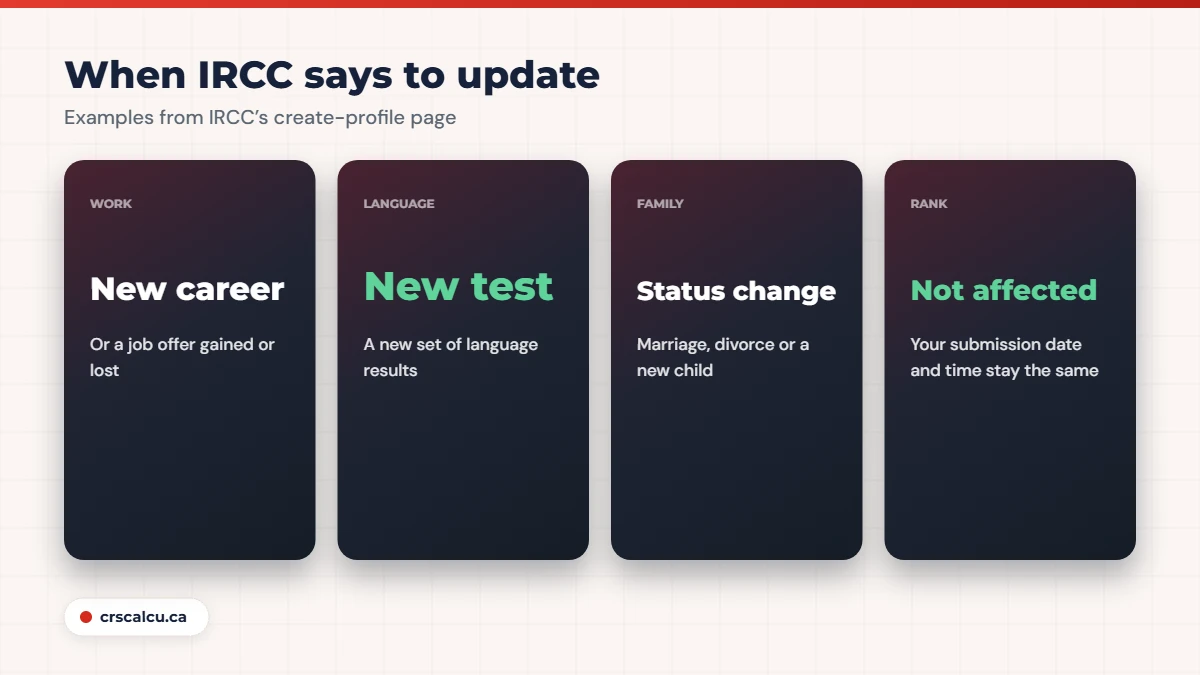
The create-profile page (modified September 24, 2026) has a section on keeping your profile up to date. It says you must update the profile if your situation changes, and gives five examples: you start a new career, gain or lose a job offer, get a new language test, get married or divorced, or have or adopt a child. The list is introduced with “for example”, so it is not the full set.
The same section contains the sentence most people are looking for: updating your profile does not change the date and time IRCC received it, so you keep your rank if you are in a tie-breaker situation. There is no cost in rank for keeping the profile accurate.
How to update Express Entry profile
The Help Centre answer on updating a submitted profile (modified September 1, 2026) sets out the path.
IRCC’s steps for an eligible profile

Step six is the one people miss. Saving a section is not the same as submitting the profile again. Until you go through “Continue” and submit, the pool is still ranking the old version.
Some fields look locked. A separate Help Centre answer explains that greyed-out fields were carried over from the first questionnaire, and that you change them with the “Modify Family Information” button at the top of the profile page, then “Update Information”. Marital status is one of those fields; see divorce during Express Entry for what that change does to your points.
Real case: new test result, same score (August 2020)
A candidate entered a new, higher set of language results into an existing profile and the overall score did not move, although the official calculator showed it should have risen. A reply suggested going back in, re-entering the results and submitting again, and warned against withdrawing the profile to start over, since a draw could pass during the gap. If that failed, the next step was a web form to IRCC. On August 12, 2020 the poster reported that re-entering the results had worked.
We cannot tell from the thread what went wrong the first time, but an update that was saved and never submitted would look exactly like that. If you are ever tempted to withdraw and rebuild instead, read two Express Entry profiles first: a new profile means a new submission time.
What a typical update is worth
What changed | Where it shows up | Check before you submit |
|---|---|---|
New language test | Core language points and skill transferability | Results less than two years old; all four abilities entered |
Another year of Canadian work | Canadian work experience points | The year is complete, in hours as well as dates |
New degree or diploma | Education points and skill transferability | Credential finished; assessment in hand for foreign study |
Marriage, divorce or new partner | With-spouse or without-spouse column; spouse points | Status true today |
New child | No CRS line; family size for settlement funds | Funds still cover the larger family |
Our summary using IRCC’s CRS criteria page (modified June 22, 2026). The third column is our checklist, not IRCC text.
Language is where an update pays most. On the CRS criteria page, a candidate without a spouse gets 23 points per ability at CLB 8 and 31 at CLB 9.
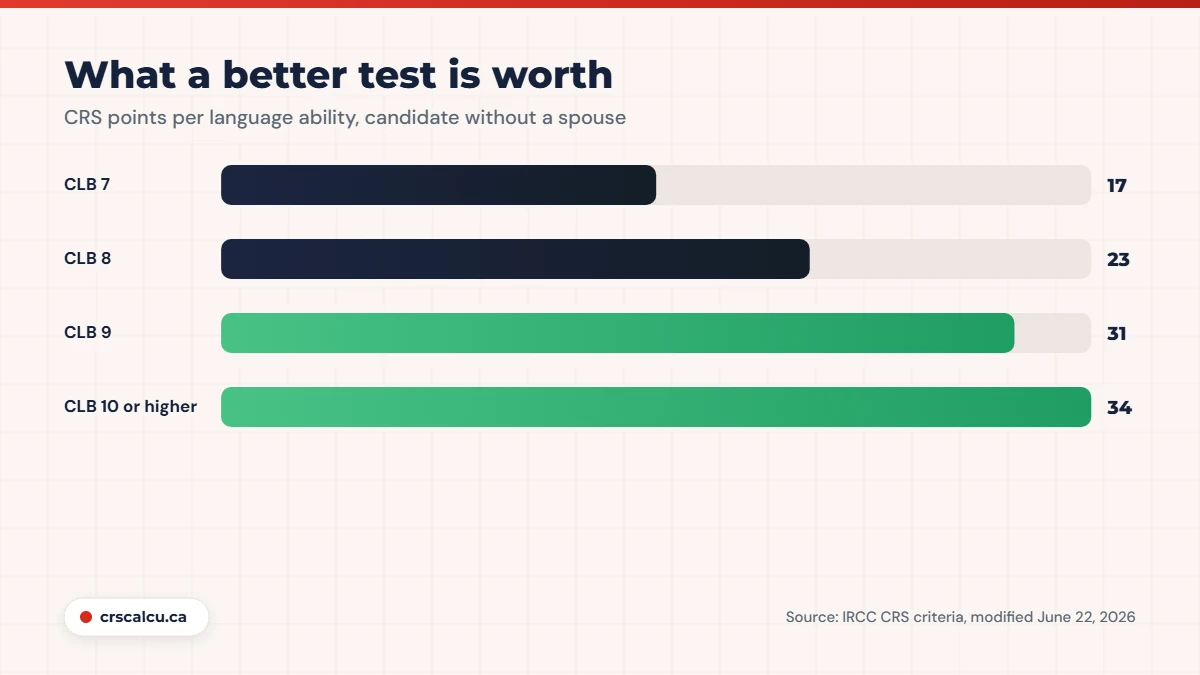
Our arithmetic for one made-up candidate with a bachelor’s degree and three years of foreign skilled work: moving from CLB 8 to CLB 9 in all four abilities adds 32 core points (four times 8). It also lifts the education and language combination from 13 to 25 and the foreign work and language combination from 25 to 50. That is 69 points from one test sitting. Convert your own results with the CLB calculator before you enter them, and compare the new total with the latest draw cut-offs.
An update can also take points away. A new test result replaces the old one in the profile. If the new sitting is lower in one ability, think before you enter it; IRCC’s page says you must update when you “get a new language test”, and we did not find a line saying you may keep an older valid result instead. That is a question for a professional if it applies to you.
Edits that can make a profile ineligible
The create-profile page lists common reasons a profile becomes ineligible: your work experience no longer meets the program requirements, your language results expired, your educational credential assessment expired, you no longer have enough funds, or you changed your primary occupation.
Two of those are things you might do to yourself during an update. Removing or re-dating a job can leave you without the qualifying experience, and choosing a different primary occupation can disconnect your experience from the program you qualified under.
Real case: deleting a job from the profile (September 2020)
A Federal Skilled Worker candidate wanted to delete one work entry, their primary occupation, because they doubted they could get a reference letter for it, and believed the remaining experience was enough. A senior member said a profile can be updated at any time while waiting for an invitation, and another said changes take effect within seconds. Then, on October 31, 2020, a different user described what had happened to them after a similar edit: the system told them they were no longer eligible, all their points disappeared even though they held a provincial nomination, and they could not update the profile afterwards.
That matches IRCC’s Help Centre: an ineligible profile cannot be updated, and the only route is a new profile that is complete and correct before you submit it. Before you touch the primary occupation, check the code in our NOC and TEER finder and read wrong NOC code in Express Entry.
Real case: a new job in a different field (July 2021)
A candidate who had been in the pool since March 2021 with three years of experience started a job in a different occupation in mid-July and asked whether to add it and whether it needed documents. Replies said the old job should get its end date, and the new one should appear in the personal history; because no points were being claimed for it, a reference letter was not needed. They stressed that the last ten years of activities should all be accounted for so that nothing looked hidden. The candidate said they would update on that basis.
IRCC’s Help Centre does say to include your work experience for the last 10 years. The split between “work history” and “personal history” in that reply is forum practice. For more on job moves, see job change after ITA.
After an invitation: the profile is frozen
IRCC’s respond-to-invitation page says to re-calculate your score if your situation changes after you are invited. It does not describe editing the profile at that stage, and the forum cases say you cannot.
Real case: “view” only after the invitation (October 2017)
An invited candidate found they could only view their profile, not edit it, and wanted to bring it in line with what they planned to put in the application. One reply suggested declining the invitation, fixing the profile and waiting for another. A fuller reply said the profile cannot be changed after an invitation, that the application form is where corrections are made, and that corrections are acceptable provided they do not take the score below the cut-off of the round. It added that the applicant is responsible for the accuracy of what is finally submitted, and that declining carries no penalty. No outcome was reported.
Real case: “Update Not Submitted” beside a submitted application (February 2017)
An applicant noticed that their application showed as submitted while the profile showed an update that had not been submitted, and feared something had gone wrong. An experienced member said it did not matter: once an invitation is issued the profile is locked, later changes there are not what officers review, and the application is what counts. The advice was to explain any differences between profile and application in a letter of explanation. Months later the poster was still waiting for the passport request; no final outcome was reported.
The practical rule from both cases: after an invitation, fix the application, not the profile, and explain differences. If a correction lowers your score, check it against the lowest score of your round; we cover that in CRS score dropped after ITA. After you have applied, changes go through the web form, as IRCC’s Update your application page describes.
Stage | Where you make the change | Source |
|---|---|---|
In the pool, profile eligible | “Update form” in the profile, then submit | IRCC Help Centre |
In the pool, profile ineligible | A new profile | IRCC Help Centre |
Invited, not yet applied | The application form, with an explanation | Forum cases; IRCC says to re-calculate |
Application submitted | IRCC web form, with proof | Update your application page |
Our summary of the IRCC Help Centre (modified September 1, 2026), respond-to-invitation page (June 22, 2026) and Update your application page (September 3, 2026).
Six mistakes people make with profile updates
Avoid these
What IRCC does not say
The pages we read do not say how quickly an update is reflected in the ranking, whether you get a message when the score changes, or whether you may keep an older valid language result after sitting a new test. They also do not describe editing a profile after an invitation. Where we relied on forum experience for those points, we have said so.
Frequently Asked Questions
How to update Express Entry profile after submission
Yes, while the profile is eligible and you have not been invited. If the button says “View form” instead of “Update form”, the profile was found ineligible and you need a new one. After an invitation the profile is frozen (view-only); corrections go into the application form with a letter of explanation, acceptable if they do not take the score below the round cutoff.
Will updating move me down in a tie-breaker?
No. IRCC’s create-profile page says updating does not change the date and time it received your profile, so you keep your rank in a tie-breaker.
The button says “View form”, not “Update form”. Why?
IRCC’s Help Centre says that means the profile was not found eligible. An ineligible profile cannot be updated; you need to create a new one that is complete and correct.
Can I update my profile after getting an invitation?
In the cases we read, the profile was view-only after an invitation. Corrections were made in the application form with a letter of explanation. IRCC’s page says to re-calculate your score if your situation changes.
Do I have to enter a new language test if it is worse?
IRCC’s page lists getting a new language test as a change you must update. We did not find a statement about keeping an older valid result. Get advice before deciding.
How long does an update take to show?
IRCC does not say. One forum reply said changes take effect within seconds, and another candidate had to re-enter a result before the score moved.
Test the change before you make it
Enter the new result, job or status in the calculator and see the score it produces.
Final Thoughts
To update Express Entry profile details safely, make the change as soon as it is true, submit it properly, and check the score that comes out. The system gives you no reason to wait: your submission time stays the same, and an accurate profile is what the application will be compared against.
If an update would touch your primary occupation, remove experience, or lower your score close to a draw, speak to a licensed immigration consultant or an immigration lawyer first.